



Quick answer
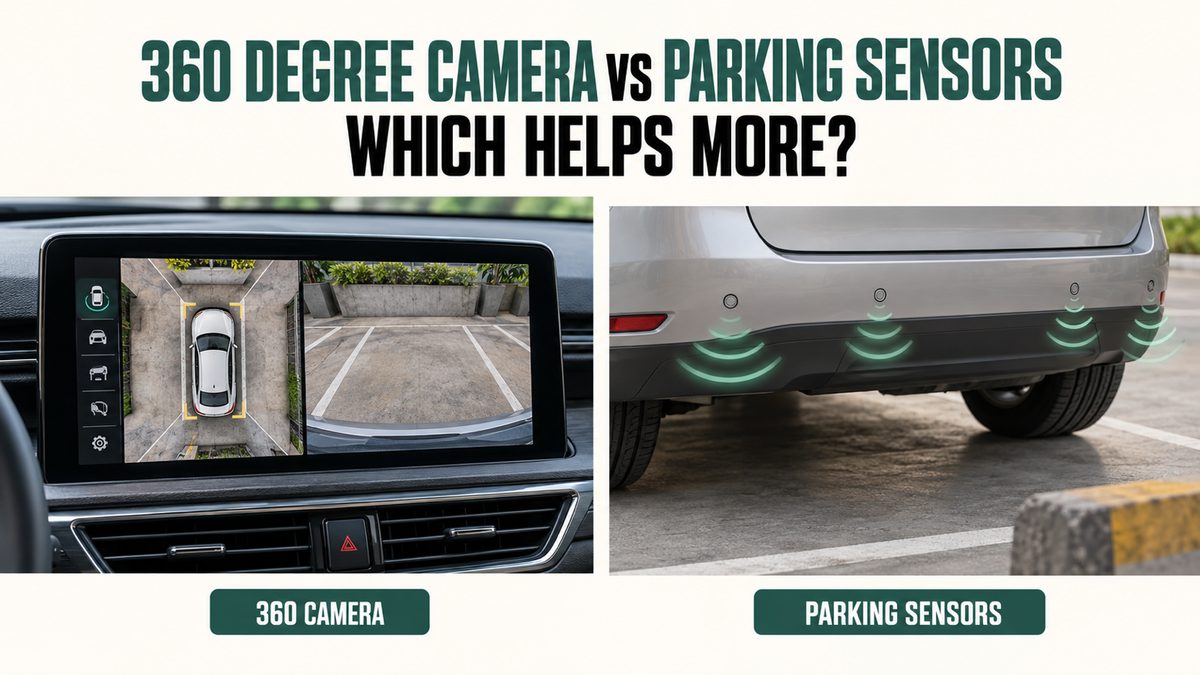
A 360-degree camera helps you see the car's position and nearby space. Parking sensors warn when a detected object is close. They provide different information and can work well together. Neither guarantees that the area is clear, detects every hazard or automatically stops the car.
For a tight parking bay, a clear surround-view system can be very useful. For a smaller budget, properly working sensors plus good direct visibility may be enough. Compare the actual system and your parking conditions rather than choosing only by the feature name.
What a 360 degree camera actually shows
The familiar overhead picture is usually assembled from cameras around the vehicle. It is not a live image from a camera floating above the roof. Hyundai's Indian surround-view instructions explain that front, rear and side feeds are combined for the top view.
That picture can help judge how the car sits within a parking bay. Depending on the system, you may also select a front or side view. Availability and controls differ, so check what the selected variant actually offers.
The display should not be treated as a precise map of every object. Hyundai warns that wide-angle images can show distances differently from reality. Image joins and viewing limits deserve attention, especially when a nearby object appears stretched or difficult to interpret.
What parking sensors tell you
Many parking systems use ultrasonic sensors. Kia's Indian Sonet manual describes front and rear sensors providing warnings for objects within their operating area during specified low-speed conditions. The warning is useful, but it is not a complete visual description.
Depending on the car, you may hear changing beeps or see a distance graphic. Confirm whether the equipment is rear-only or includes the front. Do not assume that a rear sensor package protects the front bumper as you turn into a bay.
The absence of a beep does not establish that nothing is present. Detection depends on the object and conditions. Read the system's limits and activation rules, and keep checking the surroundings rather than waiting for a sound before looking.
The practical differences at a glance
| Buying question | 360 degree camera | Parking sensors |
|---|---|---|
| What information do I get | Visual position and surrounding views | Warning about detected proximity |
| Does it show bay markings | Often useful when clearly visible | No camera picture from sensors alone |
| Does it warn without watching a screen | Not necessarily | Usually through sound or indicators |
| Can it miss hazards | Yes | Yes |
| Does it automatically brake | Not from the camera label alone | Not from the sensor label alone |
| What needs checking | Image clarity, views and distortion | Coverage, activation and warning clarity |
| What happens when dirty | Image can be obscured | Detection can be affected |
These are broad differences, not a ranking of every manufacturer's product. A well-executed basic system can be more useful than a poorly displayed premium feature.
When a surround view can be worth paying for
Consider your normal parking location. A narrow apartment bay with nearby pillars creates a different problem from an open driveway. A side view may help you understand wheel or body position when space is restricted.
A larger car can also take time to judge, particularly when the driver is new to its dimensions. A clear display can support that learning. It should still be paired with mirror use, direct checks and slow movement.
Before upgrading, try the system in the actual variant. Check how easy it is to activate and whether the view you need remains available during the relevant manoeuvre. A camera feature buried behind several touches may be inconvenient for your routine.
When sensors may be the better use of a small budget
If you park mainly in straightforward spaces and can judge the car's sides well, proximity warnings may meet your needs. Money saved on a higher trim could remain available for essential safety equipment, insurance or other ownership costs.
Check that the warning is audible to the person who will drive. If hearing or display access is a concern, compare the available warning methods in person. A feature should suit the actual user rather than satisfy a brochure checklist.
Rear-only sensors have a specific limitation: they do not provide complete front or side coverage. Consider the route into the space and the car's turning path. You may need a different parking approach rather than expecting the rear warning to solve everything.
Both systems together can be useful
A camera offers a picture while sensors provide another form of information. Together, they can make it easier to notice a concern and understand the car's position. They are still assistance systems with separate limitations.
Do not assume that one system corrects every blind area of the other. An unclear image and an undetected object can occur at the same time. If there is doubt, stop and inspect safely instead of moving because one display appears reassuring.
Learn which symbols belong to which function. A coloured overlay may come from the sensors while guide lines come from the camera system. Ask the dealer to explain normal indications so that a future warning is not mistaken for decorative graphics.
A warning system is not an automatic brake
Parking distance warning and parking collision-avoidance assistance are different functions. A car can have cameras and sensors without braking automatically for a nearby object. Feature names and abbreviations are easy to confuse during a sales demonstration.
Ask specifically whether the vehicle includes any braking assistance, under what conditions it operates and what it cannot detect. Read the manual rather than accepting a general claim that the car will stop before a collision.
Even where braking assistance is fitted, the driver must supervise the manoeuvre and be ready to stop. Never test the feature using a person, animal or valuable object as an obstacle. A dealership demonstration should not create a collision risk.
Night parking and dirty weather need a closer look
Check the camera in conditions similar to your regular use, where a safe demonstration is available. A bright showroom does not reveal how easily you can interpret the display in a dim basement or under uneven lighting.
Rain, dirt or an obstructed lens can make a view less useful. Clean cameras only as the manufacturer directs. Do not rub abrasive dirt across a lens or assume a software setting can restore a physically blocked view.
Kia's sensor guidance lists limitations involving contamination, water and certain object shapes or materials. Exact rules vary. Keep the relevant manual available and investigate persistent faults rather than treating every unexpected warning as harmless background noise.
Watch for low objects and moving people
A kerb, narrow post or object close to the bumper may be difficult for a particular system to show or detect. Camera views also change how scale appears. Neither technology excuses moving without knowing what is around the car.
Children and animals can move into a previously clear space. Check around the car before moving and continue observing during the manoeuvre. A check performed a minute earlier is not proof that the same space is still clear.
If using someone to assist, agree on communication and keep that person in a safe, visible position. Stop if you lose sight or understanding. Do not ask anyone to stand behind the car to prove that the sensors work.
Compare the full trim upgrade cost
Manufacturers often bundle a surround-view camera with other equipment. The relevant price is the total amount needed to move from your otherwise suitable trim to the one offering it. Avoid treating that entire difference as the camera's standalone cost.
List which bundled features you actually need. Then compare the resulting on-road quotes with matching insurance and registration assumptions. There is no universal amount that every buyer should pay for a 360-degree system.
If basic crash protection or family restraint fit is weaker in one shortlisted car, do not let a parking display hide that concern. Parking convenience and occupant protection answer different questions and should be assessed separately.
Repairs and accessories can affect operation
Ask about the procedure after bumper, mirror or camera-related repairs. Camera alignment or calibration may be needed according to the manufacturer's service instructions. A repaired display looking normal does not by itself verify correct positioning.
For aftermarket equipment, obtain written details of compatibility, installation, calibration and warranty handling. A low accessory price is not enough if wiring, visibility or factory functions are compromised. Avoid assuming every universal kit behaves like a factory installation.
Keep sensors and cameras clear of unsuitable accessories. A number-plate frame or bumper addition can obstruct equipment on some cars. Have any installation assessed using the vehicle's instructions rather than testing by deliberately approaching an obstacle.
Questions buyers often ask
Is a rear camera the same as a 360 degree camera
No. A rear camera supplies a rearward view. A surround-view system combines several camera views around the car. Check the actual equipment because sellers sometimes use broad camera descriptions without explaining the coverage.
Can parking sensors detect every child or animal
No. Detection is limited by operating conditions and the object involved. Never rely on a warning alone to establish that a child or animal is absent. Check the surroundings before and during movement.
Will a 360 degree camera prevent wheel scratches
It may help with positioning, but cannot guarantee clearance. Image quality, distortion, blind areas and the driver's actions still matter. Stop when the position is uncertain rather than relying on a guide line as an exact measurement.
Should a new driver choose both systems
Both can help, but the decision depends on budget and the actual car. They should support proper parking practice and observation. Do not use extra technology as a reason to skip learning the vehicle's size and controls.
Does every front sensor work whenever the car moves
No. Activation conditions differ by model and setting. Read the manual and ask for a normal demonstration. Do not assume the front warning remains active at every speed or after every gear change.
Choose using your parking routine
Ask for a safe parking demonstration in the exact variant and compare visibility, sound and control access. If a higher trim is required, request an itemised on-road quote. Pick the system that helps your routine without compromising the more basic requirements of your car purchase.
Related reading
- Essential car safety features checklist
- Does ADAS work on Indian roads
- Cheapest cars with ADAS in India